
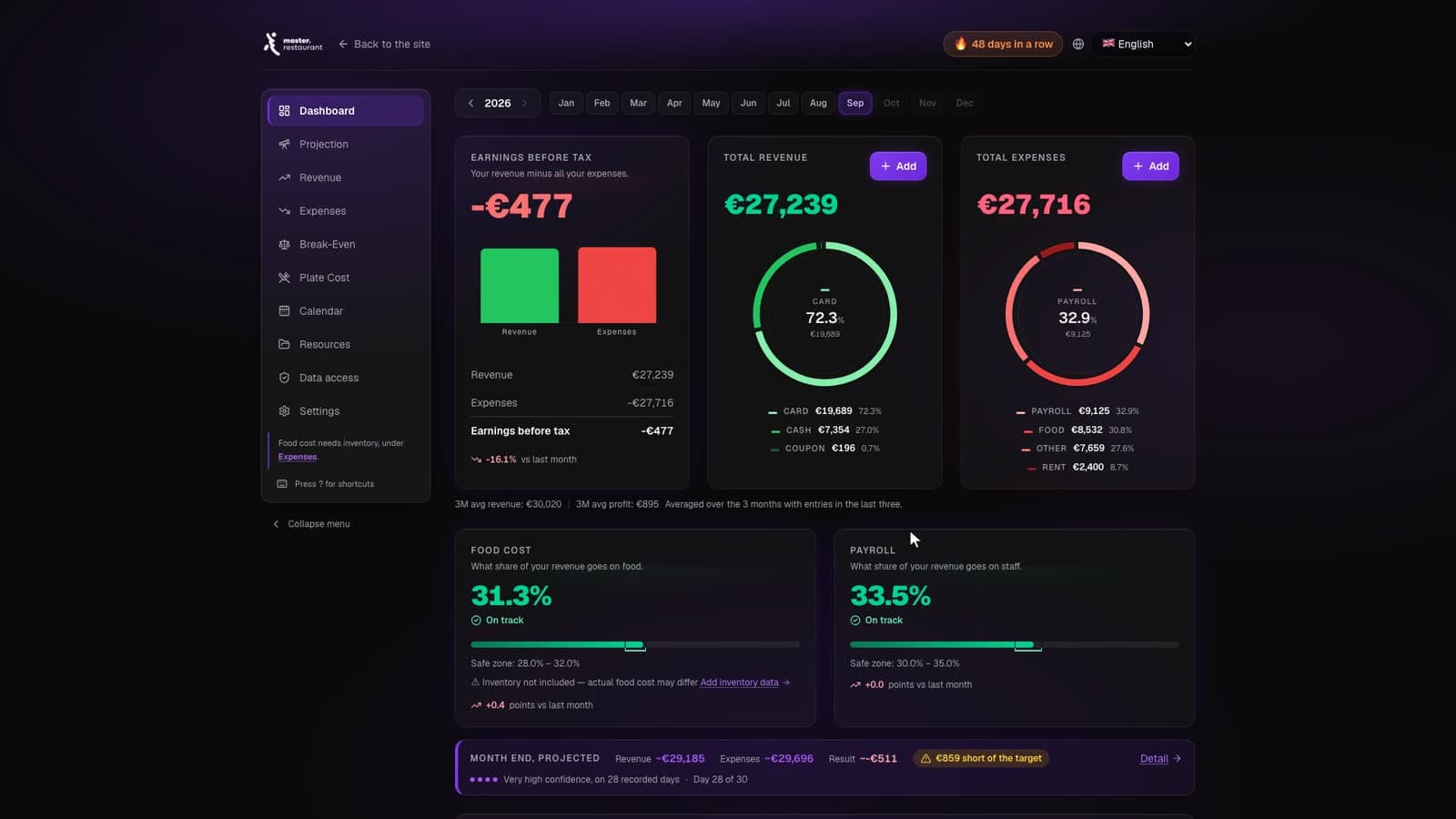
An example month in the dashboard, animated above. These are the figures the sequence ends on.
- Total revenue
- €28,450
- Food cost
- 29.6% — Inside the safe zone, safe zone 28.0% – 32.0%
- Break-even point
- €26,180 — Covered by €2,270
The whole dashboard, function by function, in 14 minutes
Every screen explained: why it is there, what it shows you and how to use it, recorded in the real product.
The problem with how most restaurants track numbers
Ask ten independent operators how they track their numbers and you will get ten spreadsheets, each broken in a different way. One lives on the office laptop. One is emailed back and forth until nobody knows which copy is current. One works perfectly, but only the person who built it understands the formulas, and they left in March.
The alternative most owners are offered is enterprise restaurant management software — priced for chains, configured over months, and full of modules a single site will never open. Between a fragile spreadsheet and a system built for fifty locations, there is very little for the restaurant with one dining room and an owner who also works the floor.
What restaurant dashboard software should actually do
A dashboard for an independent restaurant has one job: show you the truth about this week, fast enough that you can still change it. That is a much smaller job than most software tries to do, and doing it well is worth more than doing twenty things adequately.
In practice that means a handful of numbers, updated weekly, visible from anywhere, that an owner can read in five minutes between services.
- Revenue by period, compared to the periods before it
- Food cost percentage, actual against theoretical
- Payroll cost as a percentage of revenue
- Break-even revenue and progress against it this month
- Operating expenses grouped so an outlier is obvious
- Trend over time — because direction matters more than level
Cloud-based, and why that matters
Your numbers should not live on one machine in the back office. If the only copy of your food cost tracker is on a laptop in the restaurant, then your restaurant runs on a laptop in the restaurant.
Everything in master.restaurant is stored against your account on our servers. You do not download anything. You do not install anything. You do not lose your data when a machine dies. Log in from the office, from home, from another city or another country, and the numbers are there. If you can log in, you can control your restaurant.
Why we do not connect to your POS
This is the most common question we get, and the answer is deliberate. All data in master.restaurant is entered manually.
POS integrations sound like a feature and behave like a liability. They break on updates, they map categories in ways that quietly distort your food cost, and every provider needs a different connector. More importantly, automation puts distance between an owner and their numbers. Entering the week’s figures takes a few minutes and it is the moment most operators actually notice that produce is up, or that Tuesday payroll does not match Tuesday covers.
The system stays simple, works with any POS in any country, and keeps the person who owns the restaurant in contact with the numbers that decide whether it survives.
Five minutes a week, from anywhere
Software that needs an hour a week does not get used in a restaurant. The weeks you most need the numbers are the busy ones, and those are exactly the weeks nobody opens a spreadsheet.
So the entry is deliberately short. Revenue, purchases, inventory, payroll — the figures you already have on invoices and rotas. A few minutes on a fixed weekday, and the dashboard returns food cost, labour cost and break-even without a single formula to maintain.
Because it runs in the browser, that can happen anywhere: the office before service, the kitchen pass on a quiet Tuesday, or a phone in another country while somebody else runs the room. There is no version to sync and no file to lose.
Built by operators, for one dining room
We built this for our own restaurant first. In a town of 30,000 people we grew a million-dollar operation, and for years we did it on guesswork and end-of-month surprises. The first year after we built a proper system, we saved €4,000 — not from a clever new revenue idea, but from finally seeing where money was leaving.
That is the standard we hold the dashboard to. Not whether it demos well, but whether it changes a decision on a Tuesday morning.
What you get
Lifetime access is a single payment of €499. It includes the cloud dashboard, five practical video lessons covering food cost, labor, break-even, service and savings, downloadable templates and checklists, and 90 days of access to our operator community.
There is no monthly fee for the dashboard and no per-seat pricing. If you want to see it working on your own numbers first, the three-day demo gives you full access without a card.
Frequently asked questions
Do I need technical skills to use it?
Does it integrate with my POS or accounting software?
Is it a monthly subscription?
Can more than one manager use the same dashboard?
Stop burning your money!!
€499 once. Cloud dashboard, five video lessons, lifetime access.
Ready in 30 minutes